
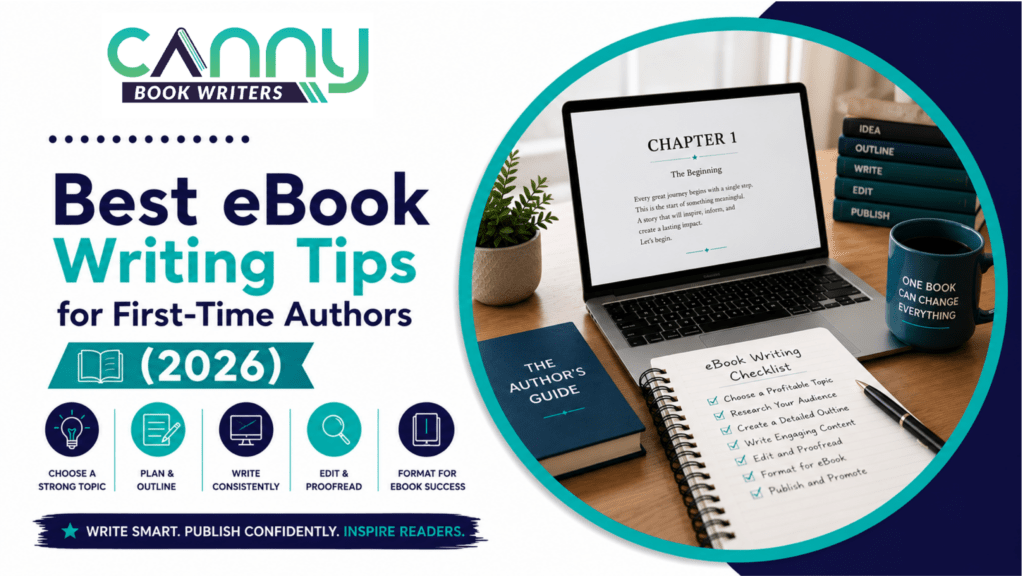
In 2026, there are more than 16 million ebooks listed on Amazon, but most of them don’t earn anything for their authors because they have not learned the basics. Success is more than just an idea. It’s about picking the right topic, organising it properly, writing efficiently, formatting it properly, and starting it off with a plan.
You might be unsure how to write an ebook, but you’re not alone. Every year, thousands of bloggers, coaches, business owners and first-time authors are publishing their expertise in digital books. The great news is that how to write an ebook for beginners is a lot easier than many believe.
The following ebook writing tips are targeted towards those who are just starting out. If you’re just ebook writing tips for beginners or you want to become an ebook writing sensation, this guide will take you through the steps of choosing your topic to publishing your ebook on Amazon KDP.
How to Choose an Ebook Topic That Sells in 2026
The common error of many first-time writers is that they write what they are interested in writing, but not what people are looking for. The first step how to write an ebook that sells is picking a topic that people have a desire to read.
The 3 Filters Every Topic Must Pass
Filter 1: Demand
Is there any demand for this kind of book already? Look through the most popular books on Amazon and the suggested titles on KDP, and see what works.
Filter 2: Gap
Check out other books. If the top titles are out of date, have a “thin” book, or are poorly reviewed, you have found an opportunity. If they are recent and highly rated, further narrow your angle.
Filter 3: Fit
The best books are those that are both in demand and actually know their stuff. The readers can distinguish between experience and guessing.
Ebook Topic Ideas 2026
Several emerging niches continue to show strong demand and relatively low competition:
- AI productivity systems
- Gut health and sleep optimisation
- Climate anxiety management
- Neurodivergent workplace strategies
- Solo travel for adults over fifty
How to Structure an Ebook: Format, Length & Chapter Outline
One of the biggest questions new writers ask is how to structure an ebook and how long should an ebook be. Fortunately, there’s no universal rule.
How Long Should an Ebook Be?
| Ebook Type | Word Count | Reading Time | Best For |
| Short lead magnet ebook | 2,000–5,000 | 10–20 min | Free downloads |
| Introductory ebook | 5,000–10,000 | 20–40 min | Low-priced books |
| Standard non-fiction | 10,000–20,000 | 40–80 min | Most paid ebooks |
| Comprehensive guide | 20,000–40,000 | 1.5–3 hours | Authority building |
| Short fiction / novella | 17,500–40,000 | 2–4 hours | Genre fiction |
| Full-length novel | 50,000–100,000 | 5–10 hours | Commercial fiction |
Most successful non-fiction ebooks fall between 10,000 and 20,000 words.
How to Outline Your Ebook Before Writing
Start with the transformation. Ask yourself:
What will readers know, do, or feel differently after finishing this book?
Then build chapters around that outcome. A simple chapter framework works well:
- Problem
- Solution
- Result
Aim for five to ten chapters. Before drafting, write:
- Your chapter titles.
- One sentence describing each chapter.
- Your planned ebook table of contents.
Thinking ahead about ebook front matter, ebook back matter, and file types also saves time later.
Ebook Writing Process Step by Step: From Blank Page to First Draft
Many newcomers have a message they’d like to convey, but they go blank when they see an empty screen. Taking each of the steps of ebook writing process step by step will take some of that anxiety away.
The 6-Step First Draft Process
Step 1. Plan Your Writing: Make writing an appointment. Each day, you write 500 words; each day, you write an additional 5,000 words. If you write 500 words a day, you can write an ebook of 10,000 words in 20 days.
Step 2. Compose a Bad First Draft: Perfection is the enemy of completion. Don’t expect the first draft to be flawless. It is just a matter of its presence.
Step 3. Write Out of Order: No need to begin with chapter one. Start with the part you’re familiar with. It is important to have a momentum rather than a sequence.
Step 4. Use Your Outline to write from: Use your outline as a roadmap with your document open. Don’t restructure while composing.
Step 5. Avoid using Word Goals: “Write for one hour” is too general. It’s measurable to write 500 words before breakfast.
Step 6. If you need to edit it, then draft it first. Edit second. However, attempting to do both at once is counterproductive.
How to Write an Ebook Fast
Here’s a speedy ebook writing workflow if you’re looking into how to write an ebook fast:
- AI can help with outlining: AI ebook writing tools 2026, like Claude and ChatGPT, can outline the chapters and provide brainstorming ideas in 2026. Treat them as helpers, not replacements.
- Try Voice-To-Text Writing: Google Docs voice typing and Otter.ai allow many writers to speak three times faster than they type.
- Reuse Content: Blog posts, podcast transcripts, presentations and newsletters can be turned into chapters.
- Batch Similar Tasks: Do all the chapters first. Afterwards, edit and format. Often switching back and forth between tasks reduces productivity.
Ebook Writing Tips for Beginners: Craft, Voice & What Not to Do
In this post, we will provide you with some ebook writing tips for beginners to make your ebook readability and engaging to readers.
Ebook Engagement Tips for First-Time Authors
- Write as You Speak. Ebooks are best when written in a conversational style. Read paragraphs out loud and cut out any awkward bits.
- Keep Paragraphs Short. Readers scan. White space enhances readability.
- Use Examples. Specifics work better than generalities.
- Vary Sentence Length. A blend of long and short sentences maintains the reader’s interest.
- Conduct Chapters ending with a Bridge. Write a summary of the chapter and preview the next. This will make readers want more.
Ebook Writing Mistakes to Avoid
Here are the major self-publishing mistakes to avoid:
| Mistake | What to Do Instead |
| Choosing topics without validation | Research Amazon demand first |
| Writing without an outline | Create chapter summaries before drafting |
| Making the ebook unnecessarily long | Focus on transformation, not word count |
| Ignoring formatting | Use dedicated tools rather than PDF exports |
| Using an amateur cover | Invest in professional design |
| Publishing without keyword research | Study KDP search terms |
| Forgetting email capture | Include lead magnets and follow-up resources |
These ebook writing mistakes to avoid are responsible for many disappointing launches. Fortunately, they’re entirely preventable with proper planning.
Best Ebook Writing Tools in 2026: Writing, Formatting & Design
New authors often assume they need dozens of apps to produce a professional ebook. In reality, a handful of well-chosen tools is enough.
If you’re researching the best ebook writing tools 2026, start with simplicity.
| Tool | Best For | Price | Rating | Why First-Timers Love It |
| Google Docs | Writing & collaboration | Free | ★★★★★ | Easy to use and automatically saves work |
| Atticus | Writing and formatting | $147 one-time | ★★★★★ | Complete author platform for Mac and PC |
| Vellum | Formatting | $249 one-time | ★★★★★ | Beautiful book design, Mac only |
| Canva | Cover design | Free–$15/month | ★★★★★ | Drag-and-drop templates |
| ProWritingAid | Editing | $30/month | ★★★★☆ | Excellent long-form editing features |
| Claude / ChatGPT | AI assistance | $20/month | ★★★★☆ | Outlining, titles, and brainstorming |
Atticus vs Vellum
Many authors compare the Atticus ebook formatter with Vellum book formatting.
Atticus
- Works on Mac and Windows.
- Writing and formatting in one platform.
- Excellent value.
Vellum
- Mac only.
- Exceptional typography.
- Preferred by many experienced self-publishers.
Both produce professional files suitable for Amazon KDP.
How to Format an Ebook for Kindle: A Beginner’s Step-by-Step Guide
Learning how to format an ebook for Kindle may seem intimidating, but modern tools have made the process remarkably straightforward.
Kindle Formatting Essentials
- Use Dedicated Formatting Software: Avoid exporting Microsoft Word documents to PDF. Dedicated tools such as Atticus and Vellum produce cleaner files and fewer formatting errors. Following the Amazon KDP formatting guide helps avoid frustrating upload issues.
- Reflowable vs Fixed Layout: Understanding EPUB vs MOBI vs PDF is important.
- EPUB is now the preferred ebook format.
- MOBI is largely obsolete.
- PDF is unsuitable for most Kindle books because text cannot adapt to different screen sizes.
Most books should use reflowable layouts. Fixed layouts are primarily reserved for children’s books and heavily illustrated publications.
- Ebook Front Matter: Essential ebook front matter includes:
- Title page
- Copyright page
- Dedication (optional)
- Hyperlinked ebook table of contents
- Ebook Back Matter: Professional ebook back matter often includes:
- About the author
- Other books by the author
- Website links
- Email signup invitation
- Review request
- File Formats: Atticus exports directly to EPUB. If you’re using a Google Docs ebook template, save your manuscript as a .docx file and allow KDP to convert it.
Ebook Cover Design Tips for Beginners
Readers absolutely judge books by their covers. Strong visuals dramatically improve clicks and sales. These ebook cover design tips for beginners can help:
- Design for Thumbnail Size. Most readers first encounter your cover at very small sizes. Simple designs outperform complicated artwork.
- Use Canva Templates. A Canva ebook cover template is more than sufficient for many first-time authors. Choose designs that match your genre.
- Study Bestseller Covers. Business books, thrillers, romance novels, and self-help books all have distinct visual conventions. Readers expect familiarity.
- Invest in Professional Design. If sales matter, spending $99–$300 on custom artwork frequently pays for itself.
How to Publish an Ebook on Amazon KDP: Step by Step
Many writers spend months creating a book and then panic at the publishing stage. Fortunately, learning how to publish an ebook on Amazon is easier than most people expect.
The KDP Upload Process (Step by Step)
Step 1: Create Your KDP Account
Visit Amazon KDP and sign in with your Amazon account. Complete your payment and tax details.
Step 2: Enter Book Information
Add:
- Title
- Subtitle
- Author name
- Series information
Step 3: Write Your Description
Use formatting and spacing for readability. The opening sentence matters most.
Step 4: Upload Your Manuscript
EPUB files generally provide the best experience. Always preview the book before publishing.
Step 5: Upload Your Cover
Follow Amazon’s size recommendations carefully.
Step 6: Add Keywords and Categories
Research all seven backend keywords. Choose two BISAC categories. These decisions affect discoverability.
Step 7: Set Your Price
Developing an effective ebook price strategy matters. Most books priced between $2.99 and $9.99 qualify for Amazon’s 70% royalty option.
KDP Select vs Wide Distribution
One of the biggest decisions authors face is KDP Select vs wide distribution.
KDP Select
Pros:
- Access to Kindle Unlimited.
- Promotional tools.
- Simpler management.
Cons:
- Exclusive to Amazon.
Wide Distribution
Pros:
- Available on Apple Books, Kobo, Barnes & Noble, and other retailers.
- Diversified income streams.
Cons:
- No Kindle Unlimited royalties.
For many first-time authors, KDP Select offers the simplest path.
Self-Publishing Ebook Checklist 2026
| Launch Element | Requirement |
| Manuscript formatted | EPUB or KDP-compatible file |
| Cover complete | High-resolution JPG or TIFF |
| Title and subtitle finalised | Include major keywords naturally |
| Description written | Strong opening sentence |
| Seven keywords entered | Research-based, not guesses |
| Categories selected | Choose narrow categories |
| Pricing strategy determined | $2.99–$9.99 works well |
| ISBN requirements reviewed | Decide whether one is needed |
| Distribution choice made | KDP Select or wide |
| Marketing plan prepared | Reviews and email announcements ready |
Ebook ISBN
The ebook ISBN is a concern for many newbies. If you are self-publishing an Amazon KDP ebook, you do not need to provide an ISBN, as Amazon will assign one to it.
But ISBNs are relevant when self-publishing outside of Amazon or IngramSpark.
Your First Ebook: From Idea to Published — you’ve got this
Readers will know that you are serious about your writing. Take 10 minutes to do some research and see what demand and competition are like before writing anything, and how to write an ebook that sells.
Your 3 Immediate Actions
- Validate Your Topic Today. Spend ten minutes researching demand and competition before writing anything. Good books solve problems readers already have.
- Make Your Chapter Outline. Use the chapter titles and write a one-sentence summary under each. How to structure an ebook is much easier once you understand how to do it.
- Make the first writing session. Tomorrow in Google Docs, write 500 words. Not polished. Not perfect. Just written.
Consistency beats inspiration. If you’re wondering how to write an ebook, you’re looking for ebook writing tips, or you’re looking for ebook writing tips for beginners, keep in mind that books are books that are finished. They transform careers, build companies and create authority.
The first draft won’t be perfect. It doesn’t have to be like that. It just needs to be there.